
AI Context & terminology
This is where you teach Saydi the words that matter to you. Names of people and machines, job titles, industry terms. If Saydi hasn't seen them, it translates them like ordinary words. After sound quality, this is the biggest thing you can do to get better translations.
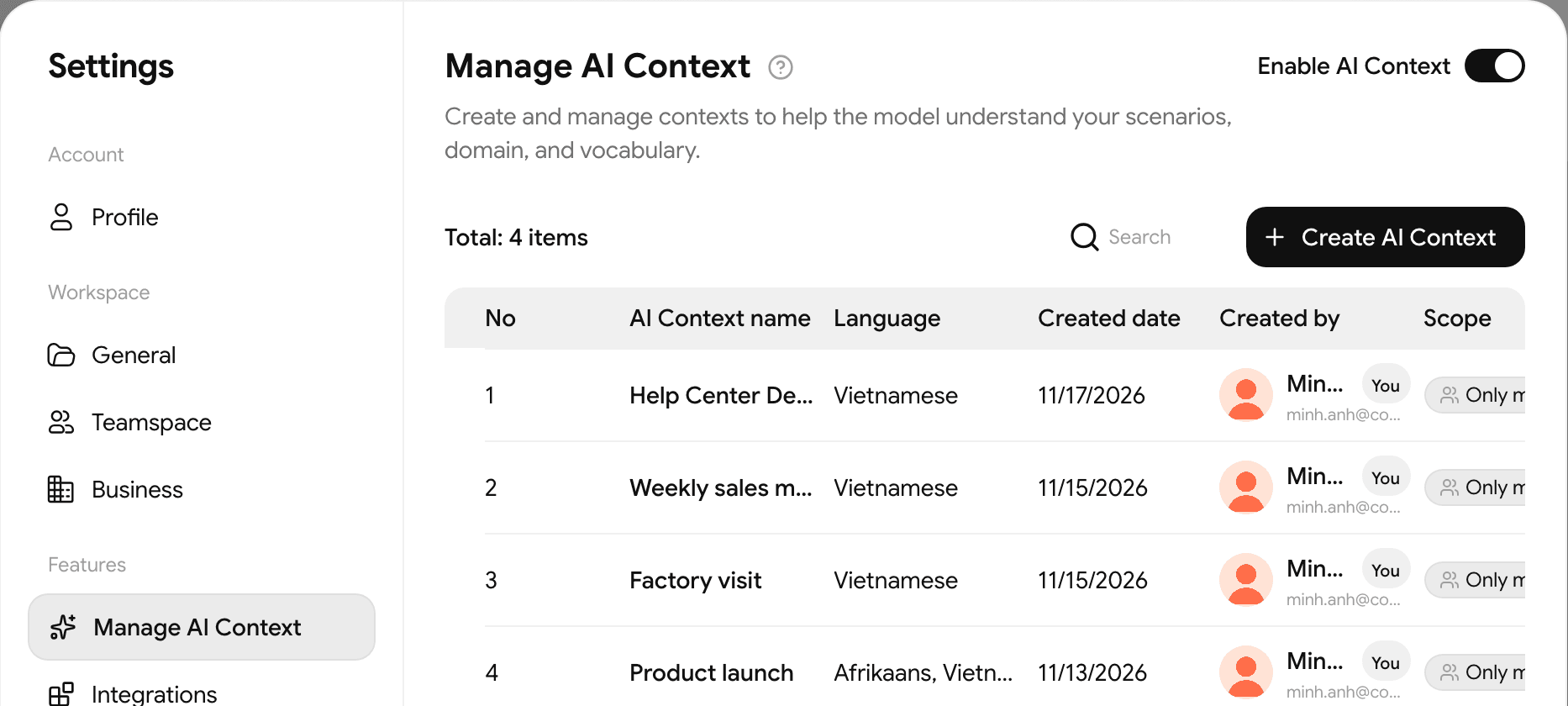
Create a context set
- On the translation screen, click AI Context at the top right, then click Manage AI Context at the bottom of the list. A Settings window opens with your sets.
Click Create AI Context:
- Give it a name, something like Factory production meeting.
- If you are working in a teamspace, choose under Who can use this: Only me, or Shared with team. Outside a teamspace, a set is always just for you.
- Click Create. The Free plan allows 1 set.
If you created a set in a teamspace, you can change who can use it later: click its label in the list (Only me or Share with team) and confirm.
- The set opens. Fill in the 3 parts below and click Save.
Make sure the Enable AI Context switch at the top right of the list is on. Back on the translation screen, click AI Context and pick your set; the button then shows its name.
- You can pick a set before you start or switch to another one while recording. The new terms apply from that moment, without restarting the session.
- If you edit and save the set you are using, the changes apply right away too.
- While the session is paused, the button is locked.
- In Event Mode, the button only opens while the event is live.
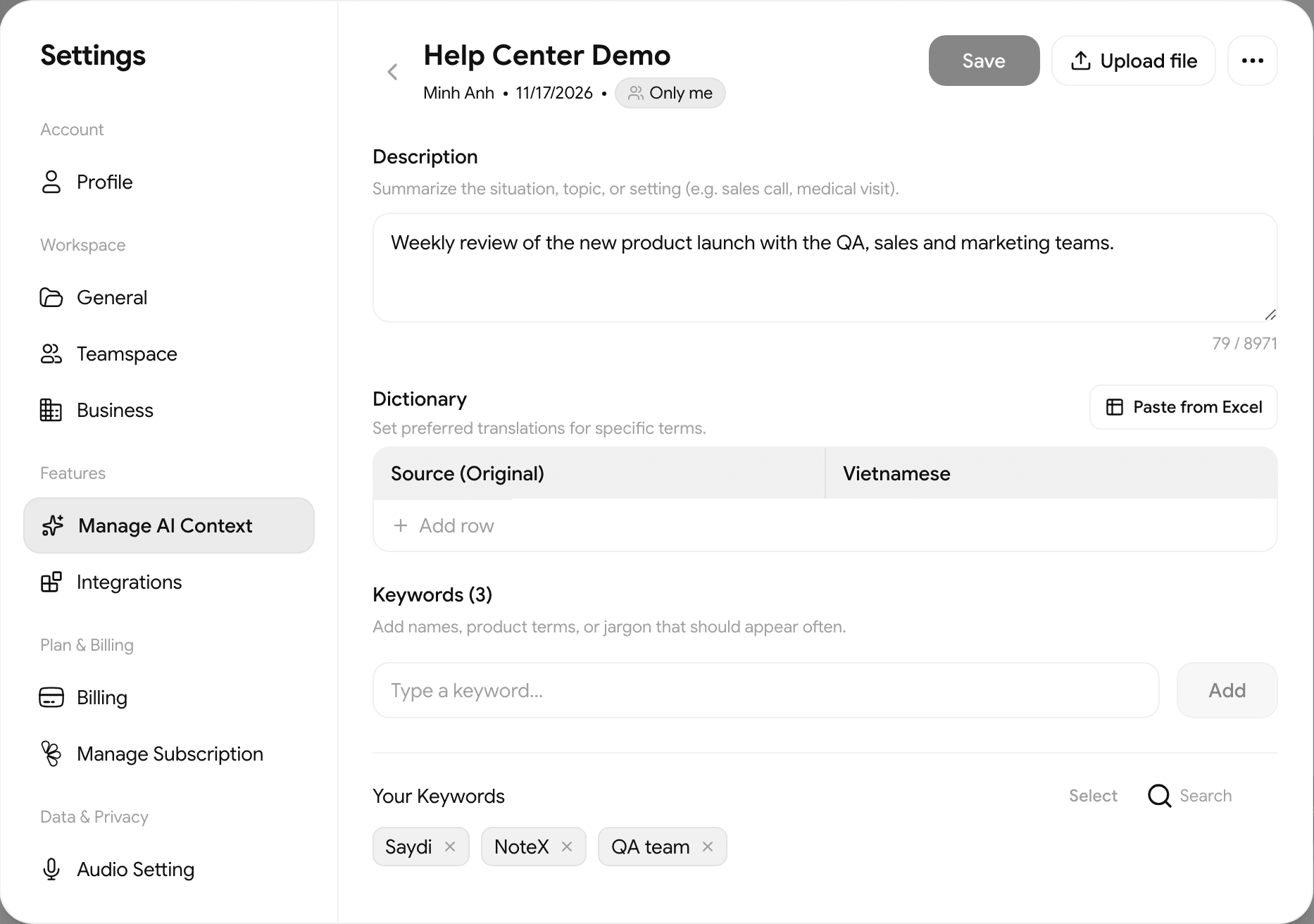
The 3 parts
| Part | What to put in | What it does |
|---|---|---|
| Description | A sentence or two about the meeting. Weekly production meeting at a steel plant, about rolling schedules and shipments. | Helps Saydi pick the right meaning when a word could mean several things. |
| Dictionary | Click Add Language and choose the language to translate into, then Add row, and type the word and how you want it translated. For example 熱間圧延 → hot rolling. | From then on, Saydi uses your translation. |
| Keywords | Names of people, machines, products, organizations. | Helps Saydi hear these correctly. Without them, unusual names often come out garbled. |
For a long list in a spreadsheet, click Paste from Excel in the Dictionary. Upload file is for documents: Saydi extracts terms from a PDF, Word file, PowerPoint or image for you to review, at 1 credit per page.
Added the words but nothing changed?
Check these 3 things:
- Enable AI Context is on.
- You picked the set on the translation screen.
- The set is for the right language.
If you added more keywords than your plan allows, the extra ones sit under Unselected (over quota). Click an item there to move it into your active list.
Worth doing
A template for your list
| Word | Translate as | Note |
|---|---|---|
| Saydi | Saydi | a name, keep as is |
| Chuyển đổi số | Digital transformation | |
| KPI | KPI | keep as is |
Three columns like this, in Excel or Google Sheets, is all we need.