
設定と管理
読了目安 1分
左下の自分の名前のすぐ下にある設定アイコンをクリックすると、設定 が開きます。
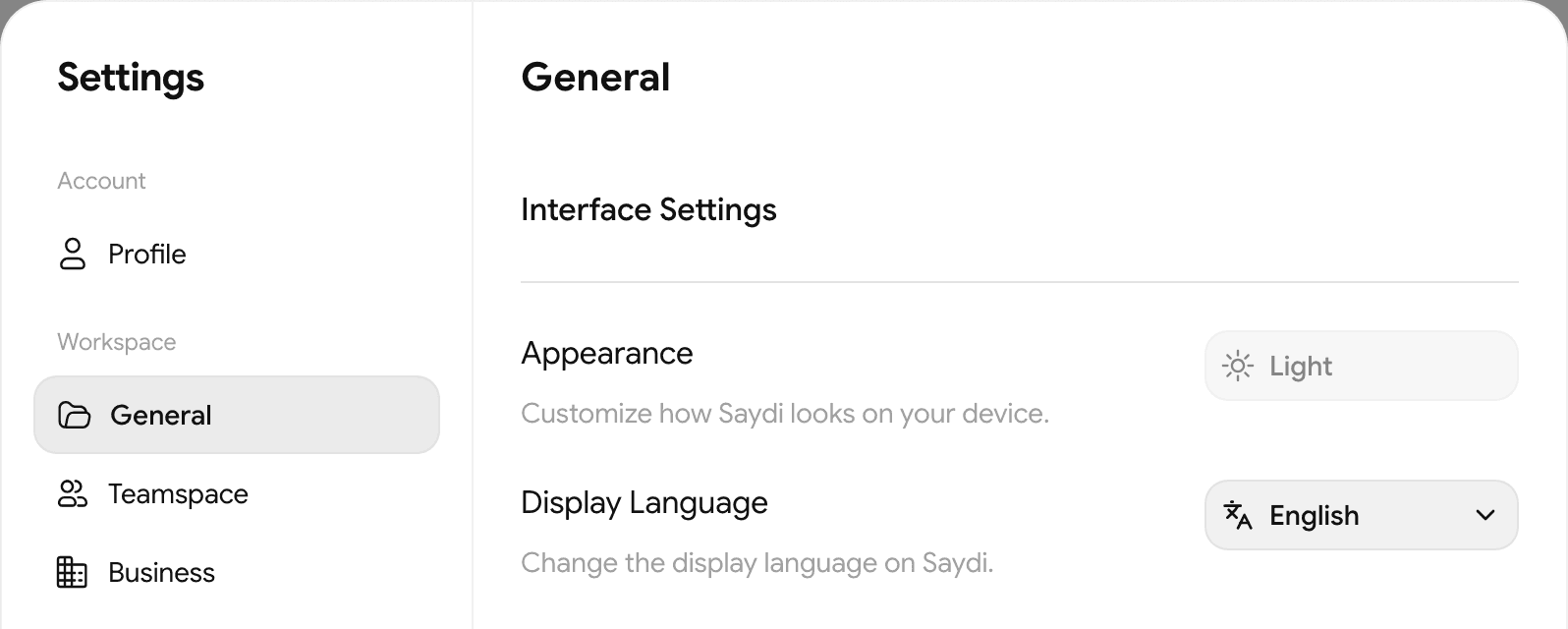
| グループ | 項目 | 用途 |
|---|---|---|
| Account | プロフィール (Profile) | 写真、ユーザー ID、名前、アカウントの削除、ログアウト |
| Workspace | 一般 (General) | 言語 (Display Language) |
| チームスペース (Teamspace) | 所属する小さなチーム | |
| Business | 会社のワークスペース:役割、メンバー数、更新日、状態 → メンバーとクレジット | |
| Features | AIコンテキストを管理 (Manage AI Context) | 用語セット → AIコンテキスト |
| インテグレーション (Integrations) | Slack と NoteX | |
| Plan & Billing | 請求 (Billing) · サブスクリプションを管理 (Manage Subscription) | 残高、追加購入、請求書、解約 → プラン・クレジット・支払い |
| Data & Privacy | オーディオ設定 (Audio Setting) | 3つの音声フィルター → 音声 |
| Help & Support | Help Center | このサイト |
設定 の外には表示パネル(翻訳画面右上の3本スライダーのアイコン)もあります → 表示。