
設置與管理
閱讀約 1 分鐘
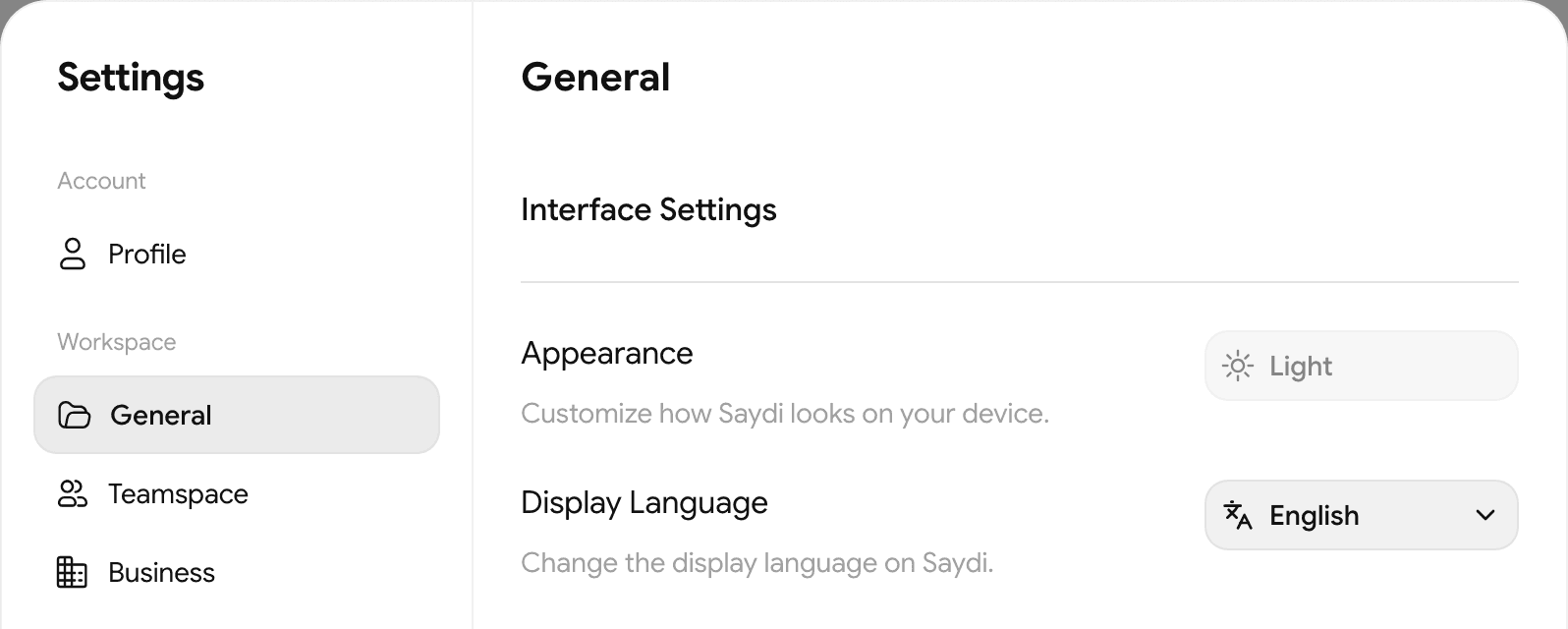
點左下角你名字正下方的設定圖標,開啟 設定。
| 分組 | 項目 | 用途 |
|---|---|---|
| Account | 個人資料 (Profile) | 頭像、使用者 ID、姓名、刪除帳號、登出 |
| Workspace | 一般 (General) | 顯示語言 (Display Language) |
| 團隊空間 (Teamspace) | 你所在的小團隊 | |
| Business | 公司工作區:角色、成員數、續費日、狀態 → 成員與積分 | |
| Features | 管理 AI 語境 (Manage AI Context) | 術語集合 → AI 上下文 |
| 整合 (Integrations) | Slack 和 NoteX | |
| Plan & Billing | 帳單 (Billing) · 管理訂閱 (Manage Subscription) | 餘額、儲值、發票、取消 → 方案、積分與付費 |
| Data & Privacy | 音訊設定 (Audio Setting) | 三個音訊濾波開關 → 音訊 |
| Help & Support | Help Center | 本站 |
設定 之外還有顯示面板(翻譯介面右上角的三滑桿圖標)→ 顯示。